

Increase your efficiency, visibility and sales on your domestic eBay site with free remorse returns managed by Webinterpret.



Set your policies
Edit your return policies from your Dashboard. Webinterpret updates your listings right away.
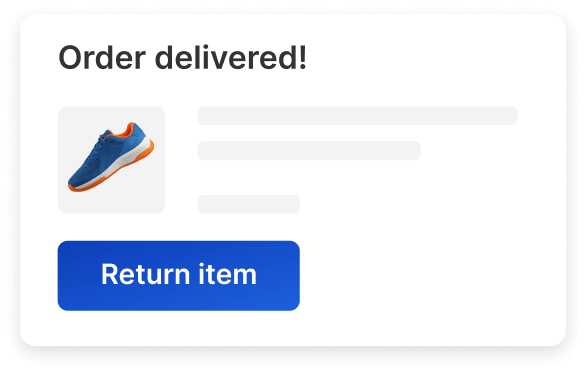
Return request opened
Your buyer opens a return request through eBay. Review the details of the request in your Dashboard.
Shipping label sent
Your buyer receives a return shipping label through eBay, sent automatically when free returns are activated.
Receive and refund
Inspect the returned order and issue the refund in accordance with your return policy.
Support all seller-paid remorse returns on your domestic listings, with local language documentation and customs support for international returns.
Keep your return expenses under control with remorse return shipping label costs covered by Webinterpret.
Easily track and manage all of your domestic seller-paid returns with the leading Returns Management System for eBay.
Enable free returns to boost your sales by 5-25%. Webinterpret sellers see 5-6% GMV growth on average.
Offer smooth, reliable returns that drive positive reviews, a stronger brand reputation, and repeat business.
From global returns management to custom return policies, Webinterpret Returns handles it all
Webinterpret automates and tracks each step of the returns process for seller-paid remorse returns, saving you time and resources.
Set up free return policies on your listings to increase their visibility in eBay search, stand out from the competition, and boost repeat purchases.
Connect your eBay account to manage your return policies from the Webinterpret Returns Dashboard and track returns from both your eBay and Webinterpret accounts.




We have been working with Webinterpret for many years. The cooperation has always been smooth and pleasant. We always receive professional support whenever we need it, and our sales have increased significantly.
Joanna
Team member
Regarding Webinterpret's service, we have been business partners for a long time — I think even from the very beginning. I have dealt with many employees from Webinterpret. They were all extremely friendly and very helpful.
Christoph
Managing Director
We have been working with Webinterpret for many years. The cooperation has always been smooth and pleasant. We always receive professional support whenever we need it, and our sales have increased significantly.
Joanna
Team member
Regarding Webinterpret's service, we have been business partners for a long time — I think even from the very beginning. I have dealt with many employees from Webinterpret. They were all extremely friendly and very helpful.
Christoph
Managing Director
Webinterpret helps simplify the return process – from policy setup to refund.
What are the eligibility criteria for using Webinterpret Returns?
Webinterpret Returns is a Returns Management System that integrates directly with eBay and provides shipping labels for seller-paid returns on your domestic site listings. The solution allows sellers to offer free returns, which improves visibility in search and incentivizes purchases, and automatically processes eligible return requests.
Eligibility criteria:
Do I have to pay for free seller-paid returns as shown on my listings?
Shipping labels for free seller-paid remorse returns are included at no extra cost with eligible domestic selling plans.
How do I accept a return request?
Free return requests are accepted by default and automatically processed. These requests are located in the Open tab in your Returns Dashboard and have a WI icon under TYPE.
For more information, see How to handle return requests.
How do I know if a label is generated and sent to my customer?
If a return request has a blue background, the shipping label has been generated and sent to your customer in eBay.
For more information, see How to handle return requests.
Are refunds automatically issued once a return is delivered?
Refunds must be issued manually by you (the seller) once received and inspected.
What if the order comes back damaged or contains a different product?
As per eBay’s return policy, you can refund less than the full amount if the product is in worse condition than when it was sent. You can also escalate cases to eBay if your buyer has returned a different or damaged product. The escalation process can be done directly from eBay’s return page.
What are remorse and SNAD returns?
Remorse returns are returns where the buyer has changed their mind about a purchased product or service. The seller has little to no influence over the return decision.
Common reasons for remorse returns on eBay include:
SNAD (Significantly Not As Described) returns are returns where the buyer believes that the seller represented the product in a misleading or insufficient way, or where the seller inadvertently shipped a different or incomplete product.
Common reasons for SNAD returns on eBay include:
Which return type is covered by Webinterpret Returns?
Webinterpret supports remorse returns on orders made from your domestic eBay listings. Your buyer indicates the type of return when they open a return request through eBay.