

eBay sellers worldwide create between 2 and 5 million new product listings per day.
This figure illustrates the importance of listing tools on- and off-platform, as they enable sellers to implement omnichannel sales strategies across multiple online marketplaces.
Still, reaching potential buyers and establishing steady revenue streams is challenging due to strong competition in some of eBay’s best-selling categories, such as Electronics or Home & Garden.
Moreover, recent data indicates that a considerable portion of businesses worldwide use eBay as a launchpad into international markets.
So, sellers from relatively smaller markets like Poland, the Netherlands, or the Philippines often rely on eBay to get their products in front of international audiences.
As a result, choosing a reliable eBay listing tool is paramount for merchants who want to build or scale their business in their domestic or international markets.
Let’s take a look at some of the best listing tools for eBay and how they can help you run your business more efficiently.
Key takeaways
- Due to the high volume of new listings on the platform, their visibility largely depends on SEO and GEO optimization.
- eBay listing tools that also support localization expand audience reach by allowing sellers to list products across multiple markets.
- The best eBay listing tools eliminate the need for manual listing maintenance as they allow users to edit multiple listings simultaneously.
- Sellers can publish up to 2000 listings with eBay’s built-in Bulk Listing Tool available in the Seller Hub.
- Webinterpret’s domestic and international eBay solutions combine listing localization and optimization, which makes them a perfect option for growth-minded businesses.
What do eBay listing management tools do?

Although their primary goal is to streamline the listing creation process, the best eBay listing tools also offer several features essential to sellers’ daily operations.
In addition to enabling merchants to automate listing creation, third-party listing tools allow sellers to optimize their listings for eBay’s search engine, run advertising campaigns, or manage their inventory across multiple online platforms from a single interface.
Although eBay’s Seller Hub gives sellers instant access to listing tools, high-volume sellers often opt for third-party solutions because they make it easier to manage inventory, change product prices, or relist unsold items.
Most listing tools integrate with eBay via an API and enable sellers to import product data from a single XML or CSV file, as well as other sources, making them a great solution for a multichannel business.
Still, sellers must ensure that the listing tool they choose supports their strategy. So if a business is primarily focused on eBay, tools with localization, GEO, and SEO features may help it reach sales goals faster.
The overview of eBay’s Seller Hub
eBay’s native listing tools are available to all sellers on the platform, but their capabilities are best suited to casual sellers.
The platform’s Advanced Listing, Bulk Listing, Quick Listing, and AI-powered Photo-to-Listing tools minimize the time it takes a seller to publish listings.
Still, these tools lack features sellers need to automatically adjust product prices, apply advanced scheduling logics, and create permanent product data databases.
Sellers can create up to 2,000 new listings simultaneously with eBay’s Bulk Listing Tool, but users have reported that the tool can be sluggish when managing vast amounts of data.
Additionally, eBay’s native listing tools don’t support localization, so sellers cannot use them to translate product titles and descriptions, convert sizes, or synchronize listings across marketplaces.
Consequently, scaling a business with listing tools available in the Seller Hub can be challenging, especially if rapid inventory expansion is one of its main priorities.
Key features to consider when choosing an eBay listing software

Understanding your business’s needs is essential when selecting an eBay listing tool, as its capabilities should align with your goals.
Hence, the maximum number of new listings a tool can create at once is only one of the many factors sellers must consider when choosing the best option for them.
That’s why sellers must check whether a tool offers listing, editing, scheduling, order management, and other capabilities.
On the other hand, some tools may offer features like listing templates that not all sellers use in their daily operations.
Here are the core factors you should consider before choosing an eBay listing tool:
- The maximum bulk creating and editing capacity.
- Data ownership and storage options for product listing titles and descriptions, free image hosting, and supplier costs.
- Inventory automation and controls options, including stock level monitoring, real-time inventory syncing, and up-to quantity limits.
- eBay advertising management features, such as dynamic bidding or automation of ad rate rules.
- Listing tools should support missing attribute identification, automatically generate SEO-friendly product titles, and populate Item Specifics fields to improve the product’s visibility in eBay search results.
Most importantly, eBay listing tools offer multiple pricing options, allowing sellers to choose the subscription plan that best fits their needs.
The 5 best eBay listing tools for international sellers
It’s important to remember that although the best eBay listing tools are fully integrated with the platform, not all solutions are accessible from the Seller Hub, so sellers must create and manage listings in a separate interface.
Let’s dive in and explore how some of the best eBay listing tools can help merchants run their businesses more efficiently and increase sales.
Webinterpret
Trustpilot rating: 4.4

With over two decades of industry experience, Webinterpret is among the premier listing solutions for both novice and seasoned eBay sellers.
Its Domestic eBay Sales Accelerator, which combines advertising, AI-powered Listing Enhancements, and Returns management, is an ideal option for eBay sellers who are just starting up or merchants that want to improve the visibility of their products and generate more sales.
Moreover, the company’s International eBay Sales Accelerator program includes advanced listing localization services that help sellers expand to new eBay markets effortlessly while improving search visibility of their products,
Even though Webinterpret doesn’t support the creation of new listings, its eBay solutions enable sellers to translate listings into five different languages, while ensuring that Item Specifics and attributes are accurately mapped to the corresponding fields in each language.
Additionally, sellers can use Webinterpret to run and manage their ad campaigns, ensure their products are compliant with the EU’s product safety rules, and manage returns.
Pricing
30-day free trial, Pricing plans start from $19.99 per month
Pros
- Webinterpret automates the listing localization process and provides localized payment methods at checkout.
- SEO-optimized titles, descriptions, and fully populated Item Specific sections boost listing visibility and sales performance.
- Effortless management of General and Priority strategy advertising campaigns.
- The tool facilitates growth in eBay’s focus categories, like Collectibles or Pre-owned Fashion.
- Webinterpret is the 2026 eBay Gold partner.
Cons
- Sellers cannot create new product listings with Webinterpret.
3D Sellers
Trustpilot rating: 4.3

As one of the most versatile eBay listing tools on the market, 3D Sellers enables its users to perform a wide spectrum of tasks, ranging from creating new listings to order and inventory management.
Still, the features available to sellers depend on the subscription plan since subscribers to the Essential plan can create only 100 new listings per month.
3D Sellers can be a reliable option for merchants managing two or more eBay stores, as the tool allows them to connect multiple eBay accounts. Furthermore, all subscription plans include features such as the Listing Manager, image hosting, and Image Editor, to mention a few.
The software is equipped with powerful tools that allow sellers to bulk-edit listings and support imports of up to 50,000 rows from a single CSV file, making it easy to create or update listings.
Pricing
7-day free trial; Plans start at $19.00 per month
Pros
- This eBay listing tool allows sellers to process and manage an unlimited number of orders.
- Sellers can use bulk actions to manage, organize, and edit their listings.
- The tool’s Listing Designer feature allows merchants to create listing descriptions in a web page format.
- Users can send automated feedback reminders and personalized messages to buyers based on a particular event.
Cons
- Bulk listing tools aren’t available in the software’s Essential subscription plan.
- Multi-channel catalog integrations are available only on the software’s Professional subscription plan.
Frooition
Trustpilot rating: 3.7
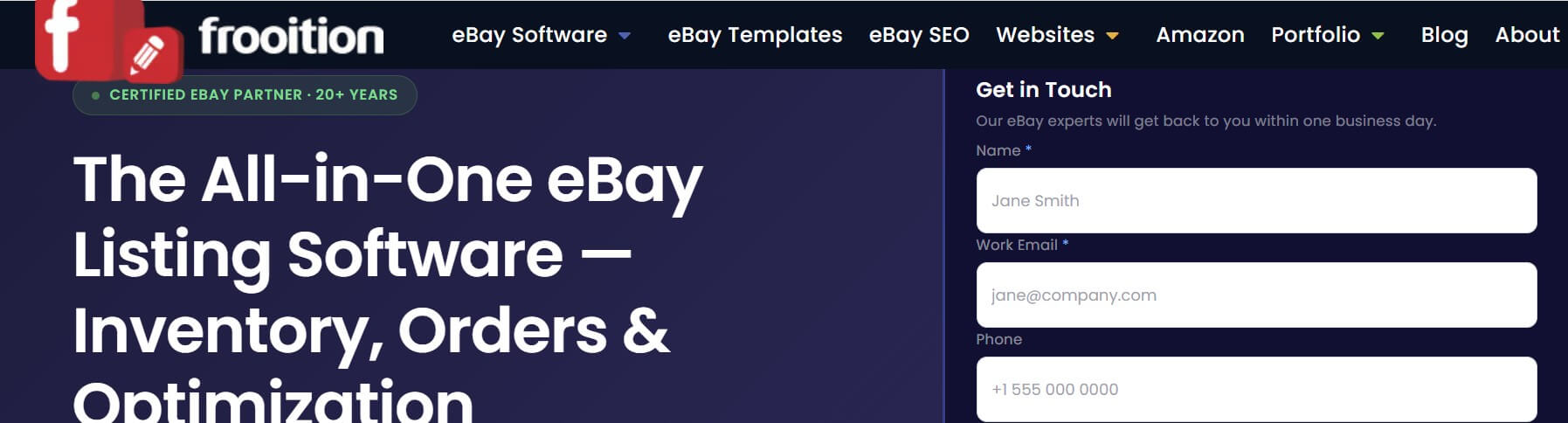
Frooition has positioned itself as one of the best eBay listing tools by packing over twenty years of industry experience into intuitive features that make it easier for sellers to manage their stores.
The comprehensive suite offers a variety of options, allowing individual eBay sellers and businesses to create new listings, design listing templates, or use its bulk editing features to ensure all Item Specifics fields are correctly filled out.
Furthermore, sellers can rely on this eBay listing tool to bulk-edit their listings, create cross-selling offers, embed videos in their template designs, and manage advertising campaigns.
The AI-powered listing tool is well-suited for sellers who want to automate the listing creation process, while creating keyword-rich listing titles and descriptions that guarantee product visibility.
Pricing
7-day free trial, plans start from $46 per month
Pros
- A versatile selection of pre-designed eBay listing templates.
- The eBay Category Finder feature helps sellers place each product in the correct category.
- Businesses can build custom storefronts on Amazon, eBay, Shopify, and BigCommerce with Frooition.
- Straightforward management of pricing rules for all listed products.
Cons
- Lack of transparent pricing
Rithum
Trustpilot rating: 2.1

Formerly known as ChannelAdvisor, Rithum is a multichannel listing management solution that enables sellers to create listings on eBay and other platforms.
However, ecommerce businesses can use it to sync their inventories across sales channels, promote listings, and monitor performance metrics.
Even though Rithum isn’t exclusively an eBay listing tool, its features are powerful enough to enable sellers to bulk-create listings from the central product catalog.
eCommerce businesses can use the software to automate ad campaigns on eBay, track their performance, and use the data to refine their advertising strategies.
Additionally, Rithum’s order and shipping management options make it a perfect fit for multichannel businesses that handle large order volumes daily.
Pricing
Pros
- Intuitive user interface.
- Advanced multichannel inventory management options.
- Centralized product data feeds integrate seamlessly with eBay and other online marketplaces.
- Rithum helps sellers discover suppliers that match their sourcing requirements.
Cons
- The software’s features exceed the needs of small and medium eBay-only sellers.
Solid Commerce
Trustpilot rating: 3.3

Tailored to the needs of multichannel ecommerce sellers, Solid Commerce enables merchants to manage their daily operations on different online marketplaces from a single interface.
The software streamlines catalog management, automates customer support, and adjusts product prices based on the latest marketplace trends.
Solid Commerce is highly customizable, enabling sellers to tailor it to their needs and maximize operational efficiency.
So, aside from creating new listings for their eBay stores, businesses can use this software to map taxonomies and attributes across their inventories, optimize listings for the generative search engine, and ensure regulatory compliance.
SolidCommerce integrates with eBay via a direct API connection, ensuring quick, smooth SKU synchronization across the platform.
Price
Free trial, Subscription plans start at $29.99 per month
Pros
- All plans include data storage for content and product data files.
- Automatic price updates across all sales channels.
- Sellers can update catalogs directly from suppliers.
- Merchants can apply templates to listings for free.
Cons
- The software’s monthly cost depends on factors such as the selected storage space, the number of automated messages, and the frequency of inventory updates.
Scaling operations across international marketplaces with the best eBay listing tools
The international ecommerce landscape is rapidly evolving due to the rising popularity of cross-border trade, changing consumer habits, and AI transformation.
eBay listing tools give sellers access to the tools they need to keep up with the competition and sustainably scale their operations to international markets.
That’s why Webinterpret is one of the best options for eBay businesses looking to expand their product reach and increase sales. On the other hand, multichannel ecommerce businesses can benefit from using Sold Commerce to create and manage their eBay listings.
Would you like to find out more about how Webinterpret can help you scale your business? Schedule a call to start planning your marketplace expansion strategy.
About Webinterpret
Webinterpret supports merchants selling on eBay.
Our AI-based solutions enable more effective selling through automated listing localisation, optimisation, advertising, and returns, and ensure all products placed on EU markets are GPSR-compliant.
By giving your international and domestic customers a full, end-to-end local shopping experience, Webinterpret improves your conversion rates and helps establish your business locally and globally.