
How does the eBay Watchlist work for buyers?
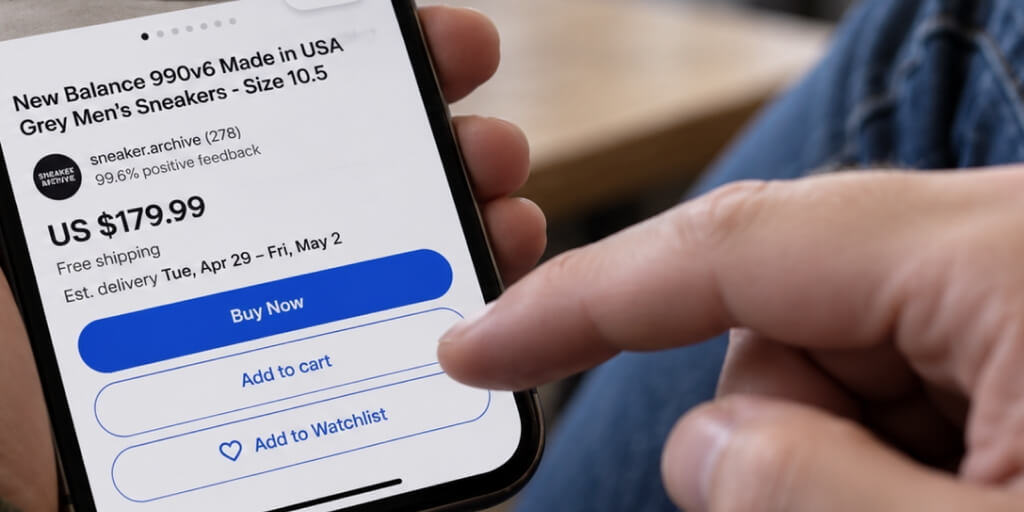
The Watchlist in My eBay menu lets a buyer save up to 1,000 items directly from the listing or search results by tapping the heart icon beneath the price.
Once an item lands on the list, eBay sends alerts by default, including a notice when an auction for a watched product is about to end. Buyers can turn off those email notifications through Communication Preferences while still seeing updates inside My eBay.
The Watchlist itself is easy to manage, and buyers can sort it by:
- Relevance
- Time left
- Price
- Seller
- Date added
It can also be organized into active or ended listings.
Two details worth noting for sellers
If you end an auction listing and do not relist it within 60 days, eBay automatically removes it from the buyer’s Watchlist, whereas fixed-price listings can remain on the Watchlist indefinitely.
Where can sellers find watch counts, and what information stays private
Sellers can check watcher counts for any active listing in Seller Hub by opening Active Listings and turning on the Watchers column in the table settings. Once that column is visible, clicking the header sorts every listing by watcher count, making it easy to spot which items are drawing the most attention.
The Overview tab also gives a quick daily summary of how many listings currently have watchers. In the mobile app, watcher counts appear directly under the Selling tab.
In the past, watcher counts were displayed publicly on listing pages, but eBay canceled that feature years ago.
The one place a watcher count can still surface is the search results feed, where eBay sometimes adds an “X watchers” badge if a listing crosses a certain threshold, commonly reported around 10 or more watchers. Beyond that badge, the exact figure is seller-only data.
What never becomes visible to anyone is the watcher’s identity.
Sellers see a number, never a name, username, or location. There is no roster, no message button aimed at your watchers, and no demographic breakdown.
The only path to learning who a watcher is runs through a completed purchase. If a seller sends a customized offer and that watcher buys the product, their identity then appears as a buyer. Short of that, buyer identities stay masked across eBay.
That anonymity is exactly why a watch count works as a soft signal of interest rather than a confirmed sales pipeline. This distinction is worth keeping in mind before reading too much into this metric.
Why do watchers matter even when they do not buy?
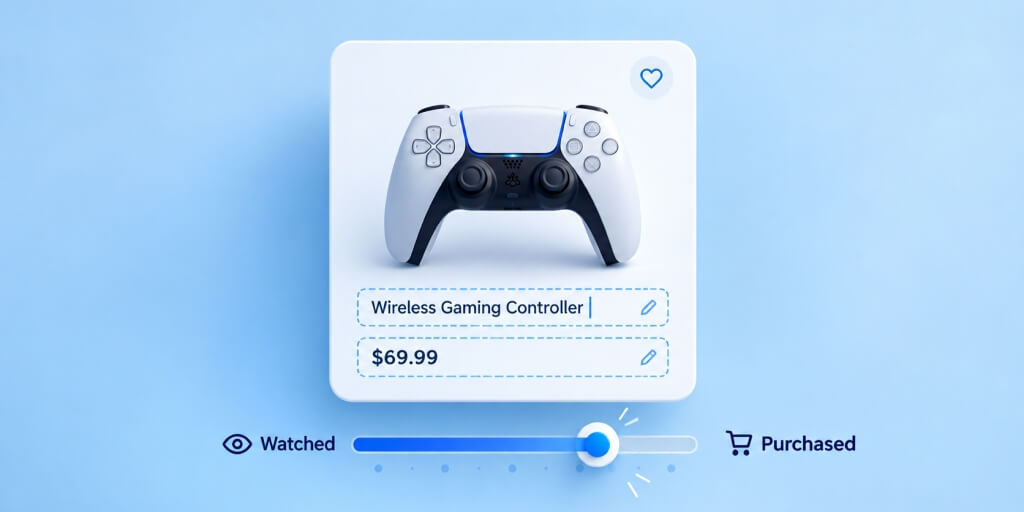
A watch count tells you someone noticed your listing. What the metric does not tell you is why.
Sellers on eBay’s community boards repeat the same warning. Watchers are not buyers, and the two numbers rarely move together. So before you get excited about a rising watcher count on a listing, it helps to understand what that number actually represents.
Watching shows interest, not a promise to purchase
The Add to Watchlist option works like a bookmark. Clicking it signals genuine interest in an item, but it doesn’t commit a buyer to that product.
One seller who routinely sends discount offers to watchers reported that less than 2% of recipients actually take the offer. That low conversion rate is not a sign of failure. It is simply how watching works across the platform.
A watcher has flagged an item worth remembering, nothing more, nothing less.
Buyers may be comparing items or waiting for a deal
Most watchers have a reason for delaying the purchase decision. Here are the most common ones:
- Price monitoring: waiting to see if the watched item will be available at a lower price before committing.
- Comparing options: browsing multiple sellers offering similar items at the same time.
- Waiting on funds: holding off the purchase until payday or a tax refund clears
- Expecting an offer: many buyers assume a discount will eventually land in their inbox
eBay’s own price reduction threshold rules directly shape this buyer behavior. A listing under $200 must drop by at least 5% to trigger a watcher notification, items between $200 and $1,000 need a 3% cut, and anything above $1,000 requires only 2%. Buyers who know this simply wait for that trigger rather than paying the full price.
Other sellers may watch listings for research
Not every watcher is a shopper. Competing sellers frequently watch listings to track pricing, confirm what similar items eventually sell for, or decide whether to relist their own inventory at a comparable price.
This research habit is common enough that eBay offers tools for it, including Product Research and Sourcing Insights, both built on data from millions of eBay transactions.
Fixed-price listings tend to attract research-driven watchers over time, since they remain active indefinitely. Auction-style listings, on the other hand, lose their watcher count the moment the auction ends and gets relisted.
High watch counts without sales can reveal barriers at checkout
A large watch count paired with zero sales is usually a sign of something fixable.
One seller managing roughly 200 listings with well over 100 watchers estimated that fewer than 10% of those watchers ever convert into buyers.
Another seller with nearly 4,000 active listings and more than 1,350 watchers put it plainly: the number “doesn’t mean nothin’ on its own.’
The most common reasons watchers don’t always turn into buyers are:
- Pricing is above the current market rate
- Product photos leave buyers uncertain about the item’s condition
- Missing item specifics
- Shipping estimates are slower than those in competing listings
Each of these obstacles is addressable, and spotting the pattern in a stalled listing is the first step toward improving it.
How to attract more relevant watchers?

Now that you know what drives watcher behavior, the next step is getting the right people to notice your listings in the first place.
Watch counts stay low when listing titles are vague, photos don’t clearly show the product, or the listing simply never reaches its target audience. Fixing those three areas is the most direct route to attracting viewers who are genuinely shopping for specific products.
Write titles that match what buyers actually search for
eBay’s search engine, Cassini, matches listings to buyer queries based on how closely the title and item specifics align with what someone typed into the search bar.
A listing title like “Early Airplanes” is unlikely to appear near the top of search results. In contrast, “Early Airplanes by John Blake HB 1974 Golden Press Illustrated Aviation History” contains all the information the algorithm needs to include it in search results it displays for collectors and topic-specific searchers.
A few rules worth following when writing listing titles:
- Stay within eBay’s 80-character title limit
- Start titles with brand and model where applicable
- Avoid capitalizing each letter or adding symbols to titles because doing so may lower a listing’s ranking.
Item specifics matter just as much. Populating fields such as size, color, material, and network type helps the algorithm include a listing in filtered search results.
Additionally, complete, accurate specifics improve the listing’s visibility by making it easier for the search engine to assign them to the appropriate product category.
Clothing measurements and labels like “men’s” or “women’s” deserve extra attention, since sizes vary across brands and marketplaces, so buyers need to trust what they see before they click “Watch”.
Photograph the item properly
A title alone isn’t enough to ensure that a listing will perform well in search results, especially if product photos don’t look professional or fail to capture the item’s condition.
eBay allows sellers to add up to 24 photos per listing, and the first one appears in search results, so the first picture in a carousel needs to be the most appealing shot of the product.
Here’s a quick checklist for listing photos that build trust:
- Image quality: Even though the lowest image resolution you can use is 500x500px, adding a larger image with dimensions up to 1,600×1,600px gives buyers a cleaner zoom experience
- Clear backgrounds: Use a plain, neutral background to ensure nothing distracts the viewer from the product.
- Professional lighting: Soft and diffused light works best for product photos because it makes it easier to capture the item’s true color and condition.
- Create multi-angle product shots: Show the product from different sides and include close-ups of any flaws or wear.
Props, watermarks, and cluttered backdrops do the opposite, often leaving buyers unsure about what’s actually included with the product.
Promote listings where your buyers already spend time
A polished listing still needs an audience.
Cross-promotion on eBay lets you direct traffic from a popular listing to slower-moving ones by bundling multiple products with combined shipping offers.
Outside eBay, platforms like Facebook, Instagram, and Pinterest work well for visually driven categories such as fashion or collectibles. Hashtags and niche Facebook Groups help you reach buyers already interested in a specific product type.
CPS and CPC Promoted Listings campaigns offer another route, placing items in front of motivated buyers through either a general strategy or a priority strategy.
What doesn’t tend to work, according to sellers who’ve tested it, is promoting through a personal social account that has no connection to the niche.
How to turn eBay watchers into buyers

Now that you’ve attracted the right watchers, the next step is closing the gap between interest and a sale. Each tactic below targets a specific reason someone hasn’t purchased your product yet.
Price items against what actually sold
eBay’s Best Match algorithm weighs price alongside search relevance, item popularity, and listing completeness.
For auctions, running the sale for 7 or 10 days with a lower starting price draws more bidders. Adding a Buy It Now price at least 30% above that starting bid gives a watcher a way to skip the wait entirely.
On the other hand, fixed-price listings accumulate sales and viewing history over time, which is why their search rankings steadily improve.
Send offers to eligible buyers
The Send Offers feature in the Seller Hub includes filter flags for every watched listing that remains in the user’s cart for at least 2 days. Here’s what sellers need to know about how this feature works:
- Offers for the 30 most recent interested buyers.
- An offer must be at least 5% below the Buy It Now price.
- Offers stay valid for 96 hours on eBay.com and eBay.co.uk, or 48 hours on other international sites.
- Automatic offers extend the same discount to every new watcher.
- Both sides can trade up to five counteroffers before the deal closes.
Enable Best Offer with a minimum threshold
Adding Best Offer during the listing creation process lets you set a minimum acceptable amount and an auto-accept price threshold, so qualifying offers are approved instantly.
Sellers have 24 hours to respond before an offer expires, and any counteroffer sent back stays open for 96 hours. It’s a simple addition to your listing creation routine that can potentially remove friction for buyers who want to negotiate a price before considering other options.
Clear up any doubts about condition, delivery, and returns
Uncertainty is one of the main reasons watchers don’t always become buyers. Clear wording on condition, defects, shipping, and return policies helps mitigate buyer hesitation.
eBay’s estimated delivery date factors in handling time, carrier performance, and buyer location. As a result, keeping handling time at 2 business days or less, as eBay recommends, keeps that delivery promise realistic.
Offering express options like next-day or overnight shipping also wins over watchers who simply need an item fast.
Keep stock levels accurate
An out-of-stock purchase breaks trust.
Tracking lead time, typical demand, and order-to-shipment time lets you set reorder points before inventory runs out. Automated reordering tools, including systems that auto-relist items once restocked, keep displayed stock levels accurate without constant manual checks.
The lesson here is straightforward. Watchers don’t convert on their own. Each one needs a reason to act, and the tactics above give you the tools to provide exactly that.
How to tell whether your strategy is working?
Watch counts and page views tell very different stories, and interpreting them separately can lead to wrong conclusions.
Seller Hub’s Performance tab brings sales, traffic, and seller-level data together in one place. The listing’s traffic history report tracks page views over time, going back up to 2 years, making seasonal patterns or sudden drops easy to spot.
Here’s a simple way to interpret the metrics:
- Rising page views and stagnant watch count indicate that the listing’s title or price needs attention.
- The rising number of watchers but low sales suggest friction between the offer and checkout.
- Both metrics climbing together is a signal that the listing is properly optimized, and sellers should focus on maintaining it.
The conversion rate metric, which represents sales divided by views, gives the clearest insight into whether watchers are actually turning into buyers.
eBay sellers report that their conversion rates commonly hover around 2–3% as a baseline, while for well-optimized listings this metric is usually between 5% and 7%.
Compare offer results and profit before making further changes
Before testing another price or offer, check your actual payout against item cost, eBay fees, and shipping through the Orders section. Comparing profit margins across offer rounds, and not just sales volume, shows whether attracting more eBay watchers actually paid off.
The lesson here is straightforward. Track the numbers that matter, instead of chasing vanity metrics.
Final thoughts
A watcher on eBay is a potential buyer who bookmarked your listing, but you shouldn’t interpret their action as a promise to return. That’s why you should treat the number of watchers on each listing as a diagnostic tool.
High watch counts with few sales usually suggest that pricing, photos, or another trust barrier is preventing buyers from completing checkout. Steady conversions, on the other hand, tell you the listing is doing its job.
Still, no single metric tells the full story. Track views, watch counts, and actual profit, and you’ll quickly see whether your strategy is paying off or simply generating noise.
Let’s start with your highest-watcher, zero-sale listings. That’s where the biggest opportunity is hiding.
Webinterpret supports sellers on domestic and international eBay marketplaces by enabling them to automate listing optimization.
Schedule a call to find out how Webinterpret can help you create listings that drive watch counts and sales,
About Webinterpret
Webinterpret supports merchants selling on eBay.
Our AI-based solutions enable more effective selling through automated listing localisation, optimisation, advertising, and returns, and ensure all products placed on EU markets are GPSR-compliant.
By giving your international and domestic customers a full, end-to-end local shopping experience, Webinterpret improves your conversion rates and helps establish your business locally and globally.